If you’ve ever juggled multiple chats, notes, or drafts and lost track of your ideas, ChatGPT Projects can help you bring everything together. This feature was built to keep your creative and professional work organized by grouping your chats, files, and instructions under one goal.
Think of it as your personal AI workspace — part digital assistant, part project notebook — that keeps you focused, consistent, and efficient. Whether you’re a designer, writer, educator, or small business owner, Projects make it easy to manage your workflow and stay on track.
What lives inside a Project
Chats tied to the same goal (e.g., a launch, content calendar, or client). OpenAI Help Center
Files (style guides, briefs, product specs) the model can use as context.
Instructions that apply everywhere in the project (voice, formatting, constraints).
Keep multiple chats tied to the same goal (e.g., a product launch).
Upload reference material (brand voice docs, briefs, style guides).
What Are ChatGPT Projects?
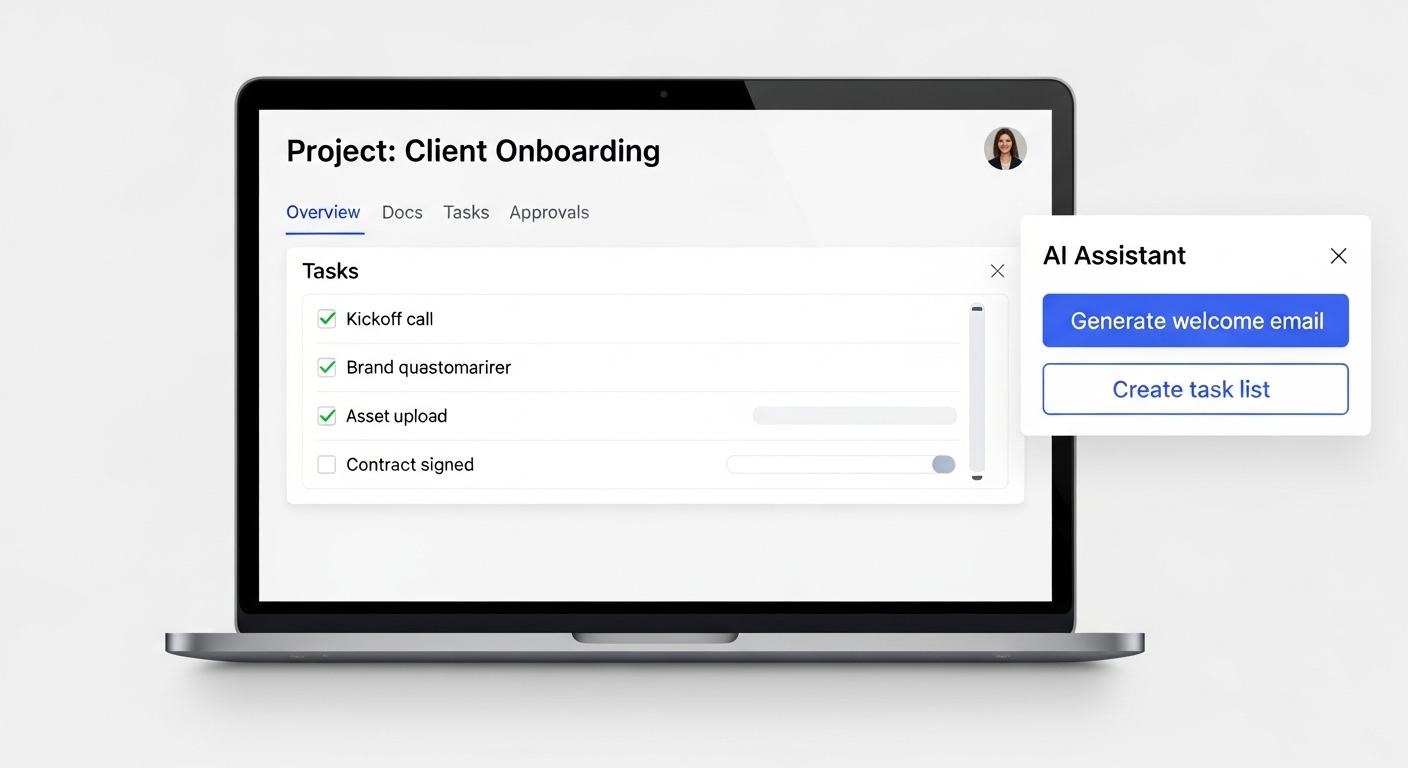
A ChatGPT Project is a central hub where you can store all related chats, upload documents, and save notes for a single topic or task. For example, if you’re building a website or planning a marketing campaign, your Project can include your design brief, client guidelines, and drafts — all accessible in one place.
Each chat inside your Project shares the same context, meaning ChatGPT can recall your tone, style, and goals without you needing to repeat them.
Free and Plus users can upload up to 20 files per Project, while Pro and Team plans allow around 40 files. At the moment, Projects can’t be shared with others, so they’re best suited for solo creators or small teams managing individual workspaces.
When to Use a Project (Real Marketing Examples)
Monthly content calendars: Keep your brand voice, color palette, and posting pillars as files/instructions; generate weekly drafts and iterate in one place.
Campaign launches: House briefs, audience personas, offer matrices, and creative directions; generate copy variants and UTM ideas across channels from the same context.
Knowledge bases: Store FAQs, product specs, and tone guidelines so responses and assets stay consistent even as new teammates jump in.
Step-by-Step Workflow: How to Use ChatGPT Projects Efficiently
Here’s a simple workflow to help you incorporate Projects into your daily routine:
Start with a clear goal.
Define what you want to achieve — for example, “Develop a social media content plan” or “Create a client presentation.”Create a new Project.
Name it descriptively and write short instructions about your brand voice or formatting style so ChatGPT stays consistent.Upload relevant files.
Add briefs, templates, or references. Combine large files into one PDF to stay within limits and make context cleaner.Organize your chats.
Use separate chats for different phases — brainstorming, writing, editing, or reviewing — all inside the same project.Refine and export.
Once your work is ready, export the results to your preferred tools like Canva, Trello, or Notion for finishing touches.
💡 Pro Tip: Keep each Project focused on one main objective. It helps the AI stay sharp and prevents context overload.
Benefits of ChatGPT Projects
Pros:
Keeps related chats and files in one place.
Saves time by retaining your instructions and style.
Improves consistency across drafts and creative outputs.
Perfect for writers, designers, educators, and marketers.
Cons:
File upload limits (20 for Free/Plus, ~40 for Pro/Team).
Not yet shareable between users.
Doesn’t replace project management tools like Notion or Trello.
Avoid uploading confidential or client-sensitive data.
Use Case 1: Branding and Design Project
Let’s say you’re building a brand identity for a client.
Step 1: Create a Project called “Luxe Homes Brand Design.”
Step 2: Upload the brand brief, color palette, and logo ideas.
Step 3: Add instructions like, “Use a confident, modern voice in all writing.”
Step 4: Ask ChatGPT to generate taglines, captions, and blog copy that align with your uploaded files.
The result? Cohesive, on-brand messaging across every asset — without re-entering context every time.
Use Case 2: Course or Workshop Development
You’re creating a Digital Literacy Training Program.
Step 1: Create a Project titled “Digital Skills Course.”
Step 2: Upload lesson outlines, goals, and sample materials.
Step 3: Use separate chats for modules like Word, Excel, and AI Tools.
Step 4: Ask ChatGPT to create lesson plans, slides, and study guides in the same tone and structure.
Now you’ve got a ready-to-use, cohesive course with minimal setup time.
Quick Start Template (Copy/Paste into Your Project Instructions)
Role: “Act as Kynice Designs’ content strategist.”
Audience: “Creative founders and small teams.”
Voice: “Clear, upbeat, and practical; no fluff.”
Sources: “Use brand style guide + messaging framework in project files as authoritative.”
Formatting: “Headings, scannable bullets, and a 1–2 sentence CTA.”
Quality bar: “Fact-check against uploaded files; flag gaps as questions before drafting.”
This aligns with OpenAI’s advice to be specific, structured, and iterative. OpenAI Help Center

— Final Thoughts
ChatGPT Projects help turn scattered ideas into organized, goal-driven workflows. They don’t replace full project management platforms, but they fill the gap between planning and execution — giving you a clean, centralized place to think, create, and refine.
Keep your Projects small, focused, and clearly labeled. The payoff?
A smoother, faster, and smarter workflow that helps your creativity thrive.
- Carolyn Burke | Kynice Designs
Editor’s note (accuracy): All descriptions above are based on OpenAI’s official help docs, product updates, and API documentation at the time of publishing. For details or changes, see OpenAI’s guides on Projects in ChatGPT, project/API key management, prompt best practices, and data controls. OpenAI+5OpenAI Help Center+5Open