There is no single best AI model anymore. There is only the best AI model for the job in front of you.
I use AI every day in my design studio, and the biggest shift I have seen this year is not one tool getting smarter. It is that each tool has settled into what it does well. One writes long, careful copy. Another makes a product photo with readable text on the label. Another turns a still image into a ten-second clip with sound.
If you pick the wrong one, you waste an afternoon fighting it. If you pick the right one, the work feels easy. This guide walks through the main types of AI models, what each is best used for, and how to use them wisely so they help your business instead of creating new problems.
The AI model types at a glance
AI models fall into four working groups: chat, image, video and avatar. Start by matching the group to the job, then pick the tool inside it.
| Type | Popular tools | Best used for | Watch out for |
|---|---|---|---|
| Chat and writing | ChatGPT, Claude, Gemini | Drafting copy, planning, research, summarizing documents, code | Confident answers that are wrong |
| Image | Nano Banana, Midjourney, Ideogram, Adobe Firefly, Recraft | Social graphics, mood boards, concept art, mockups | Garbled text, odd details, unclear usage rights |
| Video | Google Veo, Kling, Runway | Short clips, product teasers, animated stills | Very short clips and credits that run out fast |
| Avatar video | HeyGen, Synthesia | Spokesperson and training videos | Stiff delivery if the script is weak |
Version numbers change every few months, so I name the tools here and only mention versions where it helps.
Chat and writing models
ChatGPT, Claude and Gemini are all strong, and independent leaderboards no longer agree on one winner. A November 2026 comparison found each one leading a different test. Each paid plan costs about $20 a month, so the choice comes down to the kind of work you do.
| Tool | Best used for | A good first task |
|---|---|---|
| ChatGPT | An all-round assistant with the widest set of features in one app | Brainstorm 20 post ideas, then turn the best three into captions |
| Claude | Long writing, careful editing, working through big documents, and code | Paste in a full proposal and ask for a tighter version in your voice |
| Gemini | Work that lives in Google: Gmail, Docs, Drive and Search | Summarize a long email thread and draft the reply |
Two tips apply to all three.
Each one comes in sizes. Every company offers a large, slower model for hard problems and a small, fast one for quick jobs. Use the small one for rewording a caption. Save the large one for strategy, long documents and anything with many steps.
Try the same prompt in two tools. For work that matters, such as a client proposal or website copy, run it through two assistants and compare. The differences show you what each one misses.
Image models
No image model wins every job, so choose by what the picture has to do. Buffer ran the same prompts through eight generators in November 2026, and each one led in a different area.
| Tool | Best used for | Weak spot in testing |
|---|---|---|
| Nano Banana (Google) | Accurate all-round results: objects, illustration and type | Adds elements you did not ask for |
| Midjourney | Artistic, mood-driven visuals and concept art | Garbled text; no free plan, from $10 a month |
| Ideogram | Graphics where the words must be spelled right | Colors and realism can drift |
| Adobe Firefly | Commercial work that moves straight into Photoshop or Illustrator | Blocks some brand names in prompts |
| Recraft | Brand-style control: palettes, hex codes, reference images | Free plan makes images public and limits commercial use |
The same test found that none of the tools produced a product photo usable without editing. Treat AI images as a strong first draft. A designer still has to fix the hands, the label, the logo and the lighting.
For client work, check the usage rights on your plan before you publish. Free plans often restrict commercial use.
Video and avatar models
AI video is now good enough for short marketing clips, but it works in seconds, not minutes. Plan your video as a series of short shots that you edit together. Tools and prices below come from an October 2026 roundup.
| Tool | Best used for | Good to know | Starting price |
|---|---|---|---|
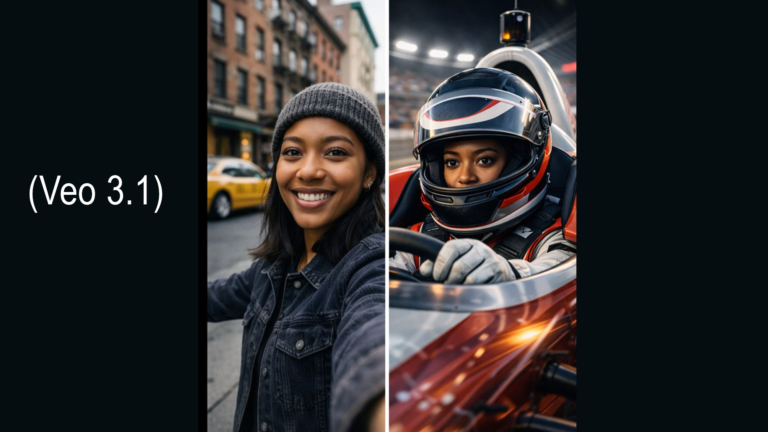
| Google Veo | Cinematic clips with dialogue, ambience and music made in one pass | Top-quality clips run about 8 seconds | $19.99 a month |
| Kling | Affordable, high-volume social clips | Interface and help pages are rough in English | $6.99 first month, then $8.80 |
| Runway | Creative control: motion brush and camera moves | Credits burn fast at top quality | $12 a month, billed yearly |
| HeyGen | Talking-avatar and spokesperson videos | Does not make product montages | $29 a month |
| Synthesia | Training and corporate videos in many languages | More than a solo creator usually needs | $14 a month, billed yearly |
One caution about building on a single tool: OpenAI shut down its Sora video app in April 2026 and ended the API in September. Keep your prompts, reference images and final exports saved outside any one platform.
The most reliable workflow I can recommend is image first, video second. Create and approve the still image, then animate it. You control the look before you spend video credits.
How to use AI models wisely
The tool matters less than the habits around it. These seven keep the work honest and on brand.
- Check every fact. Chat models can state wrong things with full confidence. Verify names, numbers, dates, prices and quotes before anything goes public.
- Protect private information. Do not paste client contracts, passwords, payment details or personal data into a chat. Read each tool’s data settings and turn off training on your content where you can.
- Give it context. Tell the model who the audience is, what the goal is and what tone you want. Share an example of work you like. A specific request beats a clever prompt.
- Match the model size to the task. Small, fast models handle quick edits. Large models earn their cost on strategy, long documents and multi-step work.
- Keep a human in the loop. AI drafts. You decide. Edit the output until it sounds like you, and never publish a first draft unread.
- Know your rights. Check that your plan allows commercial use. Do not prompt for another brand’s logo, a real person’s likeness or a living artist’s style.
- Be open about it. Clients trust you more when you explain where AI helped and where your own judgment shaped the result.
One more habit saves money: do not subscribe to everything. Start with one chat tool and one image tool. Add a video tool only when a real project needs it.
A simple way to choose an AI model
When a new task lands, ask three questions in order.
- What am I making? Words, a picture, a video or a spokesperson clip. That picks the type.
- What matters most? Accurate text, artistic style, brand consistency, speed or cost. That picks the tool.
- Who checks it? Name the person who reviews the result before it goes out. That keeps quality in your hands.
AI will not replace a clear brand or a good eye. It gives both more reach. Used with care, the right model turns hours of production into minutes and leaves you more time for the creative decisions that only you can make.
Want help building an AI workflow that fits your brand? See our AI Tools & Workflows service or book a consultation with Kynice Designs and let’s map it out together.